Product Updates: January 20, 2026
.png)
We're back with more updates this January, continuing our focus on Kubernetes cost visibility and optimization. This release introduces powerful new tools for exploring cluster details, filtering workload usage, and navigating between resources more efficiently. We've also added agent version detection and expanded resource metrics to help you optimize your Kubernetes spending with greater precision.
New Kubernetes Cluster Drawer
You can now view and analyze all Kubernetes cluster details in a single drawer.
The cluster drawer provides visibility into savings opportunities, metrics, historical costs, and a comparison of current versus optimized costs, all in one place.

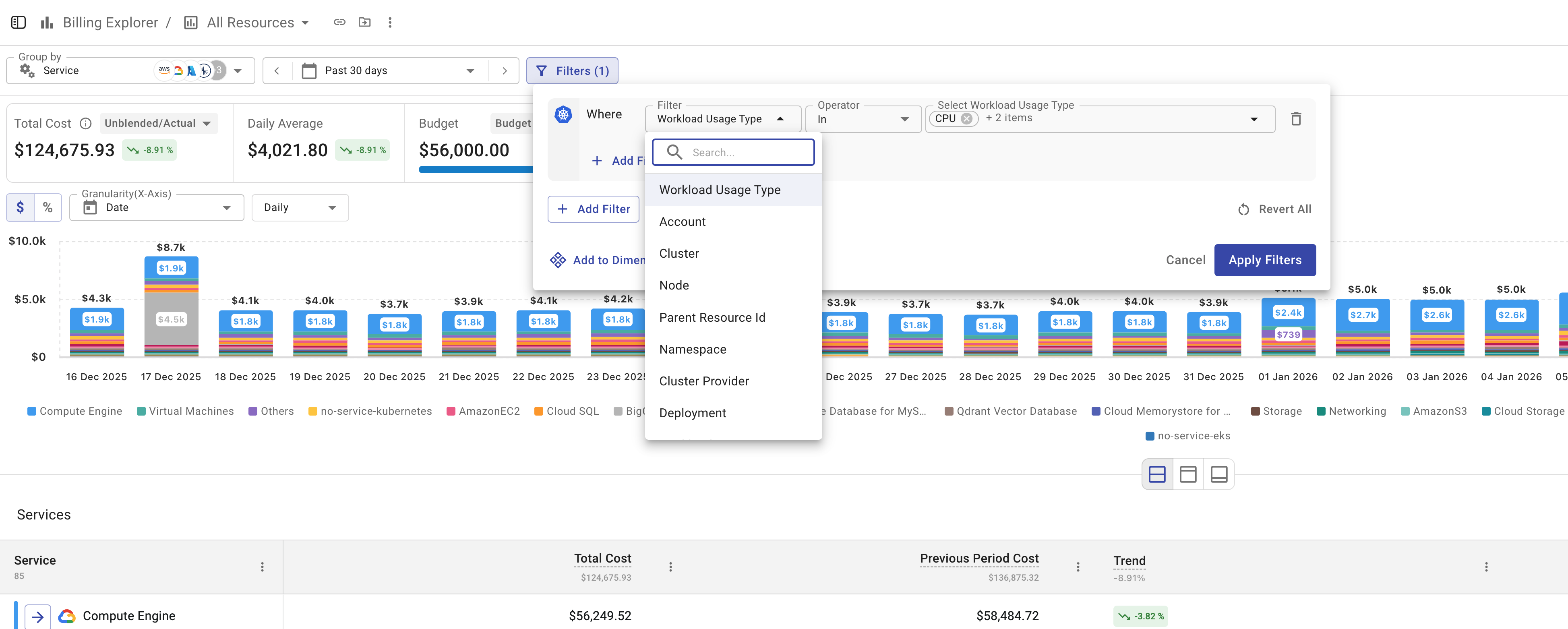
Workload Usage Type Filter in Billing Explorer
Billing Explorer now includes a Workload Usage Type filter.
In addition to grouping by Kubernetes usage type, you can filter usage by specific workload metrics such as CPU, Memory, or Idle, giving you more precise control over Kubernetes cost analysis.
Drawer-to-Drawer Navigation for Kubernetes Resources
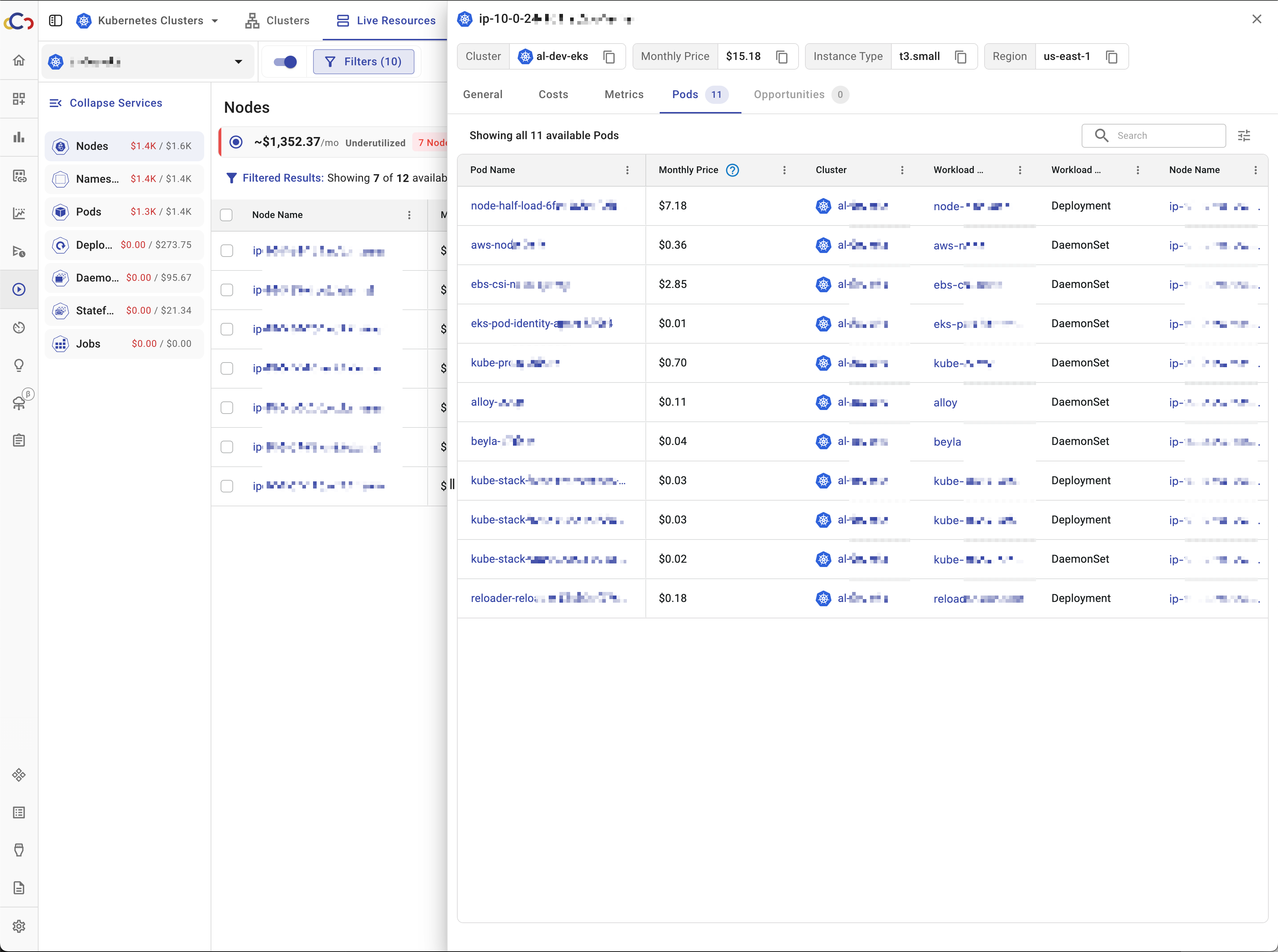
You can now navigate directly between Kubernetes resource drawers.
For example, you can move from a node drawer to a related pod drawer, and vice versa, making resource exploration faster and more intuitive.
Kubernetes: Outdated Agent Detection
Cloudchipr now detects outdated agents on clusters.
When a new Cloudchipr agent version is available, you can see which clusters are missing the update and take action to ensure accurate data collection and full feature support.

CPU and Memory Limits for Kubernetes Workloads
CPU and Memory limits are now available for Kubernetes workloads.
These metrics appear in workload tables and drawer charts, providing clearer visibility into resource configuration and utilization.

These are just a few highlights; we improve many more based on your feedback.